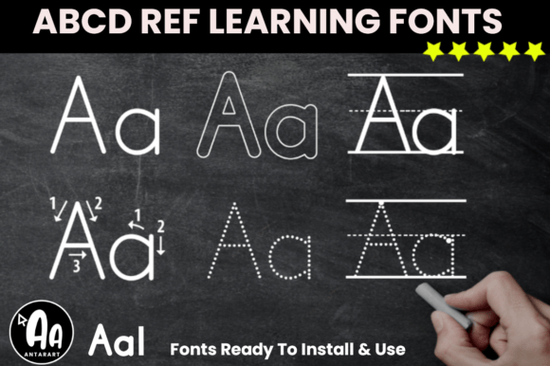
If you design early learning materials, sell printable worksheets, or run a small business focused on homeschool resources, the typeface you choose shapes how children experience writing practice. The Abcd Tracing Alphabet Letters Bundle Font is built around the D’Nealian handwriting method, so it helps you create worksheets that feel familiar to students and parents who follow that US school standard. Instead of buying pre‑made tracing sheets, you can type any word or name, apply the font, and print a custom page in minutes.
What exactly is the Abcd Tracing Alphabet Letters Bundle Font?
It’s a collection of display fonts designed for tracing and handwriting practice. Each font style includes letter outlines, dashed strokes, or directional guides that show kids where to start and which way to move the pencil. Because it’s a bundle, you get multiple variations some with starting dots, others with thin dotted lines so you can build gradually from guided tracing to independent writing. The files install like any standard OTF or TTF font and work inside Canva, Microsoft Word, Adobe Illustrator, and most design software. If you already use these tracing fonts, you know how quickly they turn a blank document into a ready‑to‑print literacy activity.
Is this tracing font based on the D’Nealian handwriting method?
Yes, the letter shapes follow the D’Nealian continuous‑stroke approach used in many US elementary schools. You’ll see the typical slant, smooth entry and exit strokes, and tails that encourage a natural flow into cursive. That makes the bundle especially useful for teachers, tutors, and parents who want to reinforce consistent letter formation at home. Even if your learners aren’t in a D’Nealian classroom, the clear, friendly letterforms make handwriting practice less intimidating for kids who find block letters stiff or confusing.
How do I use the font to create printable worksheets?
Once you install the font files, open a design program or word processor. Type the alphabet, a child’s name, or a sight‑word list. Highlight the text and switch the font to one of the tracing styles from the bundle. You will instantly see the letters change into dashed outlines or guided stroke versions. Adjust the size larger sizes work better for preschoolers and print on regular paper. Many print‑on‑demand sellers use these fonts inside Canva to create editable name‑tracing templates they sell on Etsy or teacher marketplaces.
What makes this bundle different from a standard dotted font?
Standard dotted fonts often give you one weight and no directional help. The Abcd Tracing Alphabet Letters Bundle Font pairs the dotted outlines with start‑point markers, letter‑formation arrows, or stroke order clues inside the same file. That means a child traces a letter and simultaneously learns the correct writing sequence. You also get both uppercase and lowercase styles that match, so you can design sheets where kids connect capital and lowercase versions of each letter without any style mismatch.
Can I use these tracing letters for commercial projects?
Creative Fabrica’s font license usually allows commercial use on physical products and printed designs, but always double‑check the specific bundle terms on the product page. Many small‑business owners use these fonts to make tracing workbooks, busy book pages, classroom decor, and personalized gifts. As long as you’re not reselling the font file itself, you can create printable and physical items for sale.
Which other Creative Fabrica fonts pair well with tracing sheets?
While the tracing bundle handles the handwriting part, your project might need a playful title or a fun accent for covers and labels. For a sweet, bouncy feel, try the Kinder Someone Duo font its rounded shapes feel friendly without competing with the tracing letters. If you want a whimsical, girl‑themed header, the barbie kawaii font adds charm to reward charts or name plaques. For a handmade crayon texture that fits coloring book covers, check out the crayon craft font. And when you need a completely different, rougher vibe for a sports or outdoor activity book, the heavy grunge font gives you a distressed, stamped look.
What file formats will I receive and how do I install them?
You will typically get .OTF and .TTF files, which cover both desktop and laptop systems. On Windows, right‑click the font file and choose “Install.” On a Mac, double‑click and select “Install Font.” Mobile or tablet users can often load the font into apps like Procreate or iFont. After installation, the tracing styles appear in your font menu, ready to use in any program that supports installed fonts.
A quick step‑by‑step to start your first tracing sheet
- Install the font files pick the style with dashed outlines and starting dots.
- Open Canva, Word, or Pages and set a blank page to A4 or Letter size.
- Type a short word like “cat” or a child’s name in a large point size (150–200pt).
- Switch the font to one of the tracing bundle styles and check the preview.
- Add a thin top line or a picture clue to make the sheet inviting.
- Print a test page on regular copy paper and let a child try it with a pencil or crayon.
- Tweak the size and spacing as needed, then save your template to reuse.
Starting with a simple “trace your name” sheet keeps the task achievable and shows you exactly how the font behaves on paper. Once you’re comfortable, you can layer the other styles like arrow‑guided versions to build a full handwriting workbook that grows with your learner.
Get Started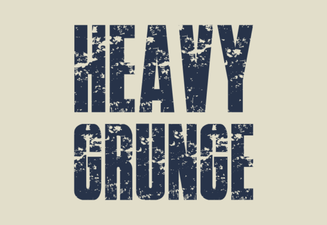 Heavy Grunge Font Design Ideas for Bold Projects
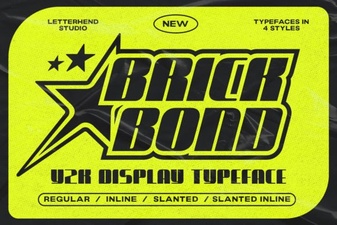 Brick Bond Font Design Trends and Creative Uses
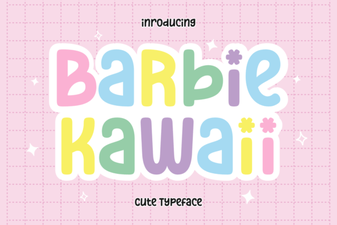 Barbie Kawaii Font Design Trends 2024
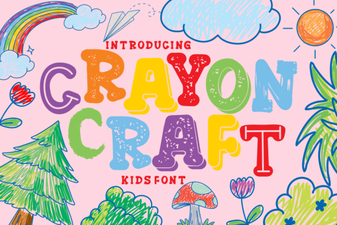 Crayon Craft Font for Creative Projects
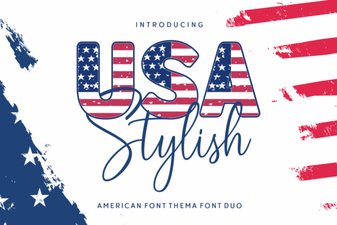 Usa Stylish Font for Creative Design Projects
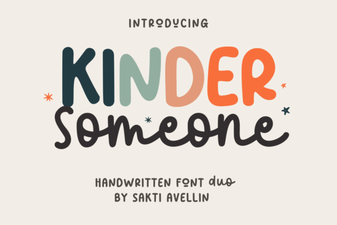 Kinder Someone Duo Font Design and Usage Ideas