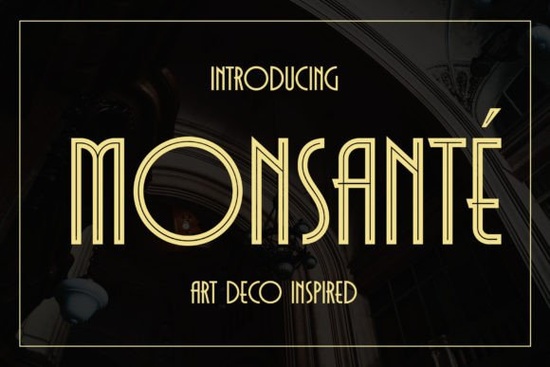
If you’re looking for a typeface that merges the bold geometry of the 1920s with a crisp, modern finish, the Monsante font is well worth a closer look. It brings that classic Art Deco elegance think luxury hotels, vintage cinema titles, and high-end stationery but keeps everything clean enough to work beautifully in today’s design projects. The family includes two distinct styles: Regular and Inline, both packed with special characters that give you plenty of room to experiment.
What makes Monsante stand out from typical geometric fonts?
Plenty of display fonts lean on sharp corners and symmetrical shapes, but Monsante adds a layer of refinement that feels intentional, not harsh. The Regular style is sturdy and controlled, with distinctive geometric elements that command attention without shouting. The Inline style introduces an open, airy stroke that feels lighter and more decorative perfect for adding a touch of luxury without extra ornamentation. Together, they give you a versatile duo that handles everything from a bold film poster to an elegant wedding invitation.
Unlike heavily distressed or ultra-modern display fonts, Monsante holds a balanced middle ground. It’s not trying to mimic hand-painted signage or gritty industrial lettering. Instead, it delivers the sophistication many designers want for upscale branding, while the geometric DNA keeps it crisp on screen and in print.
Which creative projects benefit most from the Monsante font?
Monsante shines brightest when used at larger sizes, so it naturally suits headlines, titles, and short bursts of text. Designers and small business owners often reach for it when working on:
- Film title sequences and YouTube thumbnail text
- Awards, certificates, and diploma layouts
- Book covers, especially for historical fiction or romance
- Wedding stationery, place cards, and invitation suites
- Restaurant menus and bar signage
- Luxury product packaging and hang tags
Crafters and print-on-demand sellers also find it a smart choice. Because the letterforms are so clear, designs print well on mugs, tote bags, and apparel, holding their crispness even after resizing. If you create digital printables or sublimation designs, Monsante gives you a head start on that polished, high-end look buyers often look for.
How do I use the inline style effectively?
The Inline cut is especially useful when you want a light, refined headline that doesn’t overpower a delicate layout. Try layering it on a dark or textured background the open strokes let the background show through, creating an integrated, almost custom-lettered feel. For a cohesive look, use the Inline for a main title and the Regular for supporting text like dates or taglines. This simple combination adds depth without needing extra fonts.
One practical tip: avoid setting long paragraphs in the Inline style. It’s designed to catch the eye in short phrases, so keep it to a few words or a single line for the best impact.
What about the special characters and ligatures?
Monsante is PUA encoded, which means you don’t need advanced design software to access its extra glyphs. On most platforms, you can open the glyphs panel and pick alternate characters or ligatures directly. These extras let you swap standard letters for more decorative options, creating custom combinations that add subtle personality to a logo, signature drink name on a menu, or a monogram on a wedding invitation. Mixing standard and alternate glyphs can give you a look that feels hand-assembled, without sacrificing the consistent geometric structure.
How does Monsante compare to other display fonts?
Every designer needs a small toolbox of display typefaces that cover different moods. Monsante occupies the elegant, Art Deco niche, but you’ll likely want variety. For a rugged, industrial feel, Brick Bond offers a completely different character heavy, textured, and great for bold branding. If you’re working on projects with a vintage workshop or letterpress vibe, Minecroft brings a warm, slightly worn look that pairs nicely with kraft paper and earthy palettes. When you need a more casual, handwritten energy, Forever Young gives a lively, feminine script that contrasts sharply with Monsante’s structured forms. And for a proud, all-American bold sans, USA Stylish works well on apparel and signage where you want a strong, straightforward statement.
What sets Monsante apart in this crowd is its dual-style offering having both Regular and Inline in one family lets you create hierarchy without leaving the same typeface. That consistency is a real time-saver, especially for designers who build entire brands around a single visual mood. You can always explore the Monsante font details and samples directly on the product page to see how the styles work side by side.
Is Monsante suitable for small business branding and print-on-demand?
Yes, and that’s where the font really earns its place. The luxury look helps boutique brands stand out think upscale bakeries, wedding planners, or artisan candle shops. For print-on-demand sellers, a font like Monsante can elevate a simple T-shirt design or tote bag graphic into something that looks more premium, which often translates to higher perceived value and better sales. Just make sure your production workflow can handle the standard font files (usually OTF or TTF) and test a few print samples first to see how the thin inline strokes hold up on fabric.
What should I look out for when pairing Monsante with other typefaces?
Because Monsante already carries a lot of visual personality, a simple, neutral body font is your best friend. A clean sans-serif like a geometric or humanist face keeps the overall design readable and prevents the page from feeling too ornate. When in doubt, keep supporting text understated let Monsante do the decorative work. Also, watch the spacing: the Inline style can look best with slightly wider tracking to preserve legibility, while the Regular can sit tighter.
Ready to try Monsante? A quick checklist before you download
- Make sure your design software supports standard OTF/TTF font files.
- Open the glyphs panel (or character map) to explore alternate characters and ligatures.
- Test both Regular and Inline styles at the exact sizes you plan to use especially if printing or engraving.
- Try the Inline style on a dark background to see the open strokes pop.
- If you’re using it for commercial products, review the license terms to ensure it covers your needs (print-on-demand, logos, etc.).
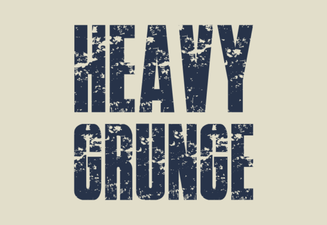 Heavy Grunge Font Design Ideas for Bold Projects
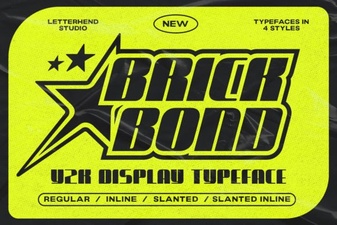 Brick Bond Font Design Trends and Creative Uses
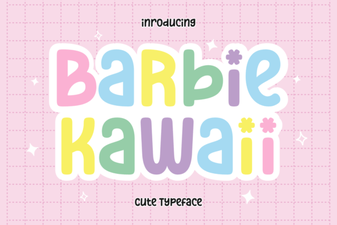 Barbie Kawaii Font Design Trends 2024
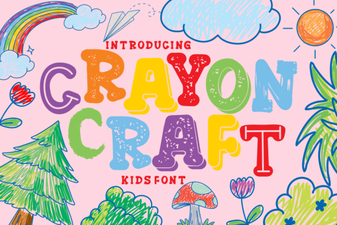 Crayon Craft Font for Creative Projects
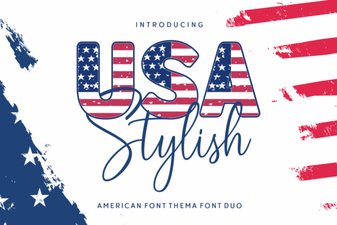 Usa Stylish Font for Creative Design Projects
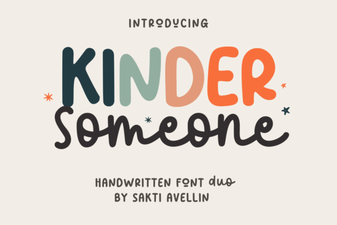 Kinder Someone Duo Font Design and Usage Ideas